Facilities
Core Facilities
Greenhouse
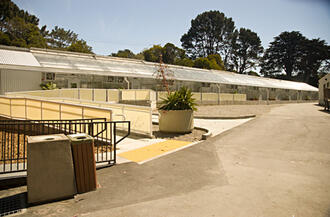
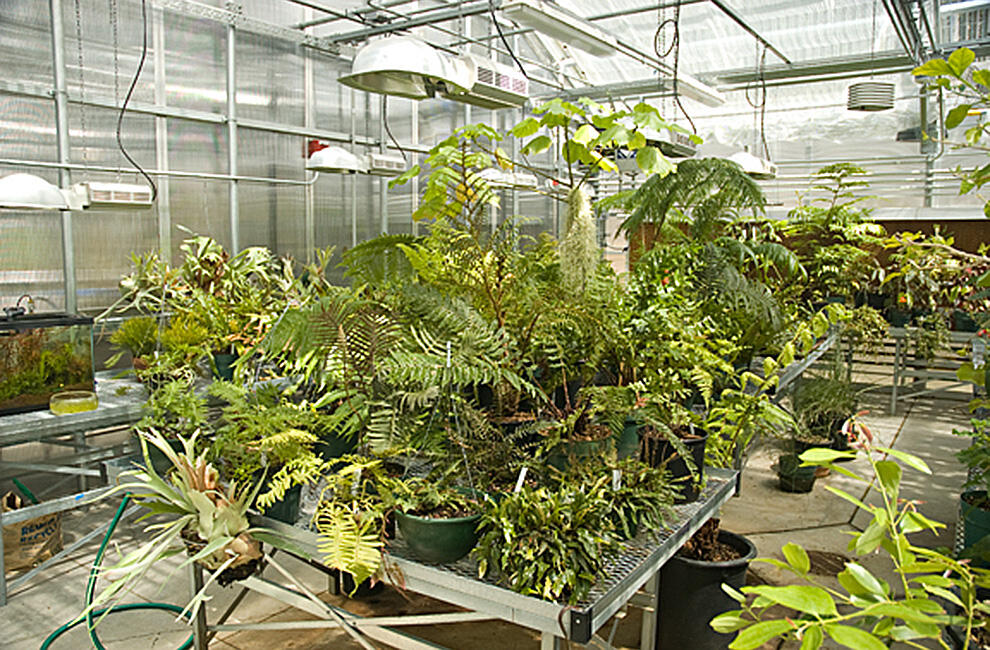
The Greenhouse at San Francisco State University, located just north of Hensill Hall, is a modern, computer-controlled facility that supports research and teaching in the Department of Biology. The greenhouse is composed of twelve individual rooms, each of which can be independently programmed for optimal climatic conditions. In addition to the Head House, there are three Collections Rooms — cool humid, warm humid and arid — housing plants used for various courses and general display. There are seven research rooms used by different Department of Biology faculty and student researchers. There is also a room used by the Friends of the Greenhouse, the student volunteer organization that supports greenhouse activities. Follow the greenhouse on Instagram to get updates on the latest plants, plant sales for students, visiting hours and more.
Greenhouse Instagram
Seawater Room
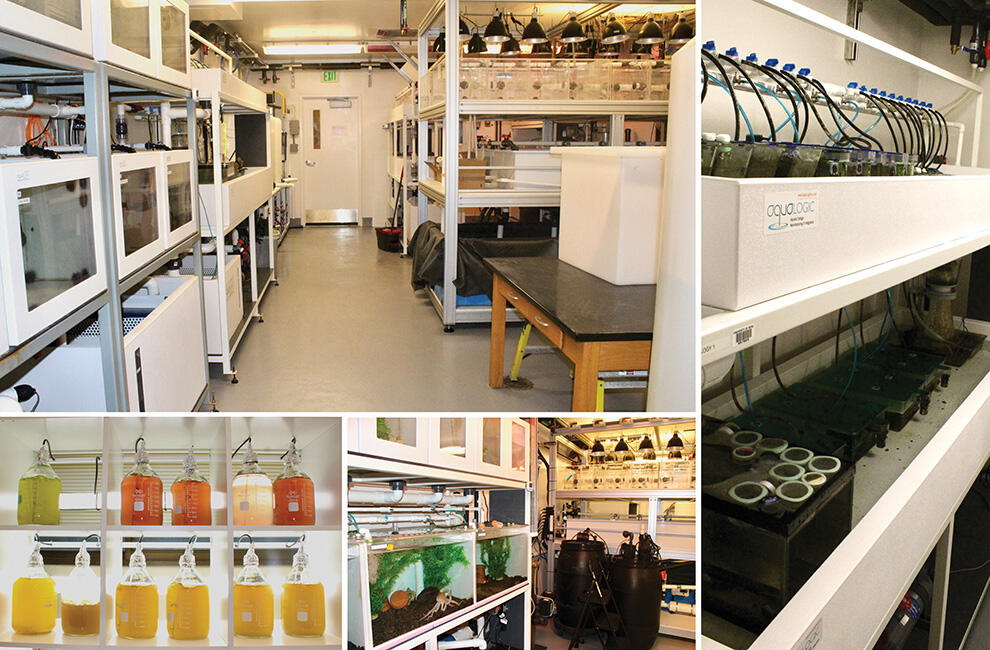
Welcome to the Seawater Room, an exciting education and research focused resource housed in Hensill Hall 233. This room houses marine animals and plants used in teaching and research, and is associated with an adjacent classroom where our marine science labs are taught, allowing students to gain hands-on experiences with marine organisms. With its six independent, closed-loop saltwater organism holding systems and a total capacity exceeding 1,000 gallons of water, this facility serves as a cornerstone of experiential learning within the biology department.
In this space, students dive into a variety of topics including climate change, comparative physiology, neurobiology, ecology, and animal behavior. Through hands-on experimentation and observation, users of the Seawater Room deepen their understanding of marine life and the interconnectedness of ecosystems, preparing them to tackle real-world scientific challenges with confidence and expertise.
Harry D. Thiers Herbarium
The Harry D. Thiers Herbarium at San Francisco State University maintains over 113,000 specimens. Located in Hensill Hall Room 429, the Harry D. Thiers Herbarium began with in the 1960s with mycologist, Dr. Harry D. Thiers' research in California that led to the publication of over 150 new species of fungi.
Genomics/Transcriptomics Analysis Core (GTAC)
Led by Director Dr. Colleen Ingram, The Genomics/Transcriptomics Analysis Core (GTAC) provides molecular genetics equipment, computer analysis facilities and training in how to use GTAC equipment to undergraduate and graduate students, postdocs, faculty and visiting researchers.
Cell & Molecular Imaging Center
The Cell and Molecular Imaging Center (CMIC) is a core facility that supports both biological and materials science research by providing state-of-the-art equipment and training in contemporary light microscopy and imaging techniques, such as confocal microscopy, deconvolution microscopy, and flow cytometry.
Estuary & Ocean Science Center
Estuary & Ocean Science Center (EOS Center) is an off-campus research and teaching facility operated year-round and is the only academic research facility on the San Francisco Bay. The center's educational mission is to provide undergraduate and graduate courses in biology, geography, and geology.
Science Education Partnership and Assessment Lab (SEPAL)
The SEPAL Resource Center houses hands-on, minds-on science education materials that are available for checkout.
Sierra Nevada Field Campus
The Sierra Nevada Field Campus (SNFC) is in Sierra County at 1900 meters in elevation. It is an ideal location for researchers studying montane organisms. In summer it offers a rich curriculum of courses.
Stockroom
The Biology Stockroom provides a variety of services to the Department of Biology faculty, staff and students. Laboratory and field materials and equipment are available on a check-out basis. General laboratory supplies are available for classroom use and can be purchased on a recharge basis for research laboratories.
The stockroom also manages audio/visual equipment reservations, key requests and check-outs, building hall lockers, telephone and ethernet requests and handles Hensill Hall facilities and equipment repair requests. Some class and new faculty start-up orders are placed through the stockroom. All deliveries are received and checked in by the stockroom.
The Biology Stockroom is the hazardous waste collection point for the Department of Biology. Copies of Standard Operating Procedures, the Chemical Hygiene Plan, the Injury and Illness Prevention Plan and a variety of health and safety codes and guidelines are kept in the stockroom and are available for general use.
Stockroom Services
Biology Stockroom Service Hours:
Monday–Friday: 8:00 AM–12:00 PM and 1:00 PM–4:00 PM
Chemical & Biological Waste Drop-off Days:
Monday and Thursday only
Justin Chan
Instructional Support Technician
Hensill Hall 539
(415) 338-1091
Vincent Cheun
Instructional Support Technician
Hensill Hall 539
(415) 338-1091
Mandy Huang
Instructional Support Technician
Hensill Hall 539
(415) 338-1091
General
The Biology Stockroom processes the paperwork for all requisition and purchase orders for the Department of Biology. This covers all orders on General Fund accounts. General Fund accounts are those accounts which are administered in the office of the College of Science and Engineering and include new faculty start-up accounts.
Please submit all ordering paperwork to the Biology Stockroom for processing. You should use a requisition template from your computer and print out your orders or email them. These templates are available from the stockroom.
Procedure for Ordering Supplies or Equipment
Use computer template – “New Requisition Template” Version 1.0.a
ENTER ALL INFORMATION IN THE YELLOW AND BLUE HIGHLIGHTED BOXES.
Header
1. “CAMPUS CONTACT”: enter your name in the yellow box. Enter your phone number in the blue box.
2. “DELIVERY LOCATION”: enter the room or lab that your order will be used.
3. “DATE TYPED”: the date that you are filling the requisition.
4. “DATE NEEDED”: enter the date you want to receive items in the yellow box. DO NOT put ASAP.
NOTE: Towards the end of the fiscal year, orders are processed slowly because there is a much higher order load in Purchasing. Also, there is a "dead" period between the cutoff for ordering on the ending fiscal year funds and the beginning of ordering on the new fiscal year funds. This generally means that there are no new General Fund orders processed during the month of June.
5. “ATTACHMENTS”: click the box to indicate if you are including any attachments.
6. “PRICE QUOTED BY”: enter the name of the person that quoted you the price (indicate year or volume if obtained from catalog).
7. "QUOTE DATE": indicate the date that the quote was obtained.
8. “QUOTATION NUMBER”: enter the vendor's quotation number. If there is no quotation number, put “N/A”.
Item Description
1. In the column “Line” enter the line number of each order. Do not include notes as a line item number.
2. In the column "QTY" enter the quantity of the item you want. For example, if you want 500 pipet tips, but they are sold 500/box, then enter "1".
3. In the column "UNIT" enter the basic unit you are ordering, such as each, box, pack, case, etc. If you are ordering a quantity such as 500 grams or 1000 units, enter "each" and indicate the quantity in the item description.
4. Under "DESCRIPTION" enter a concise but complete description of the item you want. For chemical names, please spell out the name except for the most common abbreviations (i.e., HEPES, EDTA, etc.).
5. Under "CATALOG #" enter the catalog number, if there is one.
6. Under "UNIT PRICE" enter the price per unit of the item.
7. Do not enter a price under "EXTENSION".
8. Please do not enter tax or total costs.
9. Please obtain the freight charge from the vendor and enter it in the “Freight” box. If vendor is not able to tell you what the freight charge will be, then estimate it as 10% of the cost. Be sure to note it as “shipping charge was estimated” in the description column.
If there is a known special handling or freight charge, please enter it in the "DESCRIPTION" column, (ex.: box fee, dry ice fee).
Vendor and Requestor Information
10. At the bottom of the page under "SUGGESTED VENDOR/ADDRESS" enter the vendor name, address and telephone number.
Please include a fax number, if known.
11. In the box "COURSE" please enter the course or courses for which the item is being ordered, or enter "startup" if a start-up account will be used.
12. In the box "REQUESTER" please enter your name or the person that you are ordering for.
13. A receipt is automatically generated. Please keep the receipt of delivery sheet and give it to Justin Chan when your order is complete. To ensure timely payment to vendor, please sign and date when order is complete and return to Justin Chan promptly. Thank you.
The Biology Stockroom provides supplies to research laboratories at a discounted price due to our volume purchasing. In order to use this program, faculty or PI needs to fill out the account setup form and submit it to Justin Chan. When an charge account is setup then the faculty, PI or their authorized students can buy supplies from the stockroom.
Why purchase from the stockroom?
- Reduced prices due to stockroom volume purchasing.
- No waiting for shipments to come in.
Use CSU Learn to take trainings not administered by PI or staff supervisor.
Biohazmat
BSL-2 Research, Teaching and Support Workers Only
- Working Safely with Biohazards
Research and Teaching Personnel using human blood or unfixed human tissues only
- Bloodborne Pathogens
Hazmat
For hazmat workers. Training done by PI or staff supervisor:
- IIPP-03
Non-tenure track new workers who work with hazardous materials - IIPP-03B
Non-tenure track new Stockroom workers
Training done by Lab Course Coordinator (whoever supervises or directs the GTAs, etc.):
- IIPP-04
Non-tenure track laboratory instructors/GTAs, etc. - IIPP-05
Use this quiz for all non-tenure-track new employees with any of the above forms.
New Hires & Retake Annually for All
All hazmat workers
- Hazardous Waste Handler
- Hazardous Waste Labels
- Release of Hazardous Materials
Stockroom and other operational staff collecting universal waste only
- Universal Waste Training
Training done by PI or Staff Supervisor
- IIPP-02
Non-tenure track new workers who do NOT work with hazardous material
need Box links from department
Poster Printing Facilty
Location: Hensill Hall 219
The poster printer is in room HH219. You can borrow a key from the Biology Stockroom. A variety of "paper" types are available in 36" and 42" wide rolls: matte paper, glossy paper, clear and translucent plastic and "durable banner" (paper with a Tyvek backing, perfect for banners although not rain-resistant).
The price for all media types and all poster sizes is $35. Please fill out the printing log next to the computer so we know who to bill. Be sure to check the "SEO student" box if you receive SEO support. Printing charges can be paid via transfer from a university account (i.e., grant funds) or by personal check.
HP DesignJet Z5200 Printer Information
Our facility provides access to the HP DesignJet Z5200 large-format printer, designed for high-quality poster and presentation printing.
- Paper Size: Uses a 36-inch paper roll.
- Supported File Formats: PowerPoint (PPT), Adobe Illustrator (AI), and PDF.
- Recommendation: PDF files generally produce the most accurate color output and are recommended for best results.
- Spooling Time: Large files may take up to 10 minutes to spool before printing begins.
- Access Requirements: A valid SFSU account is required to log in and use the system.
- File Submission:
- Bring your file on a USB drive, or
- Access it from a cloud storage service (e.g., Google Drive, OneDrive, Dropbox).
Important: Always remove your USB drive and log out after use to protect your data.
If an error occurs: Restart the computer and/or printer.
Many websites provide suggestions about how to structure a clear, eye-catching poster. Try a search for "Poster Design Tips." Colin Purrington has provided both a mainly good example (which also illustrates some bad approaches) and a heinously bad example of how to structure your poster.