Report Summer Units for Financial Aid
To be considered for Summer financial aid, you must report the total number of units you plan to take for the entire Summer semester. The Report Summer Units link will become available a few days after you have officially enrolled in Summer courses.
Please note: If you report your Summer units and later add or drop a class, you must contact our office so we can update your reported units.
How to Report Summer Units
- Log in to the SFSU Gateway using your SFSU credentials.
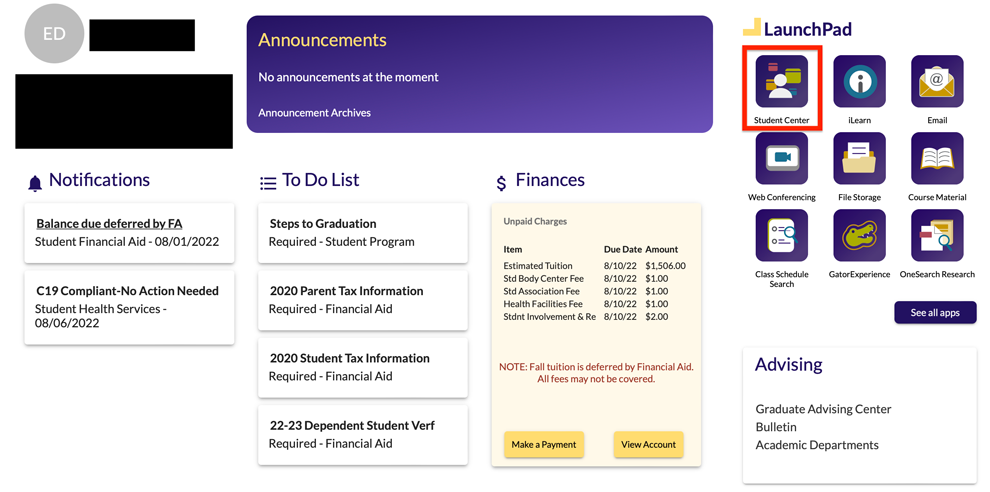
In the Launchpad section, select “Student Center.”
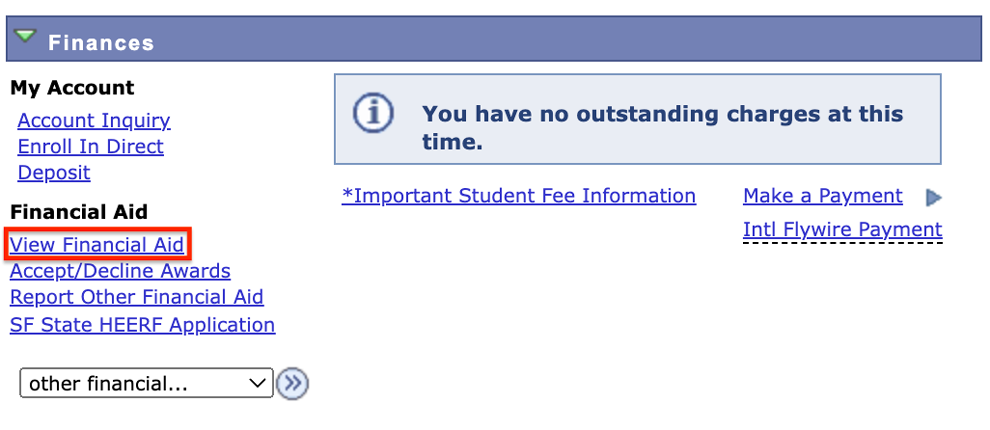
In the Finances section select "View Financial Aid."
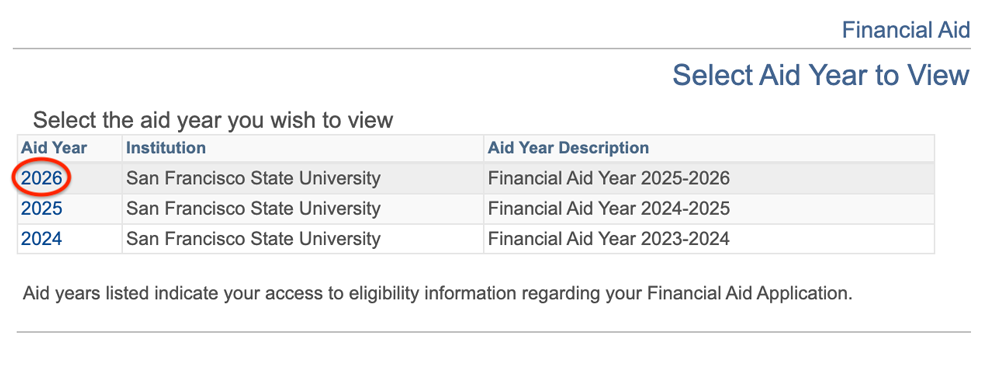
Select the aid year "2026"
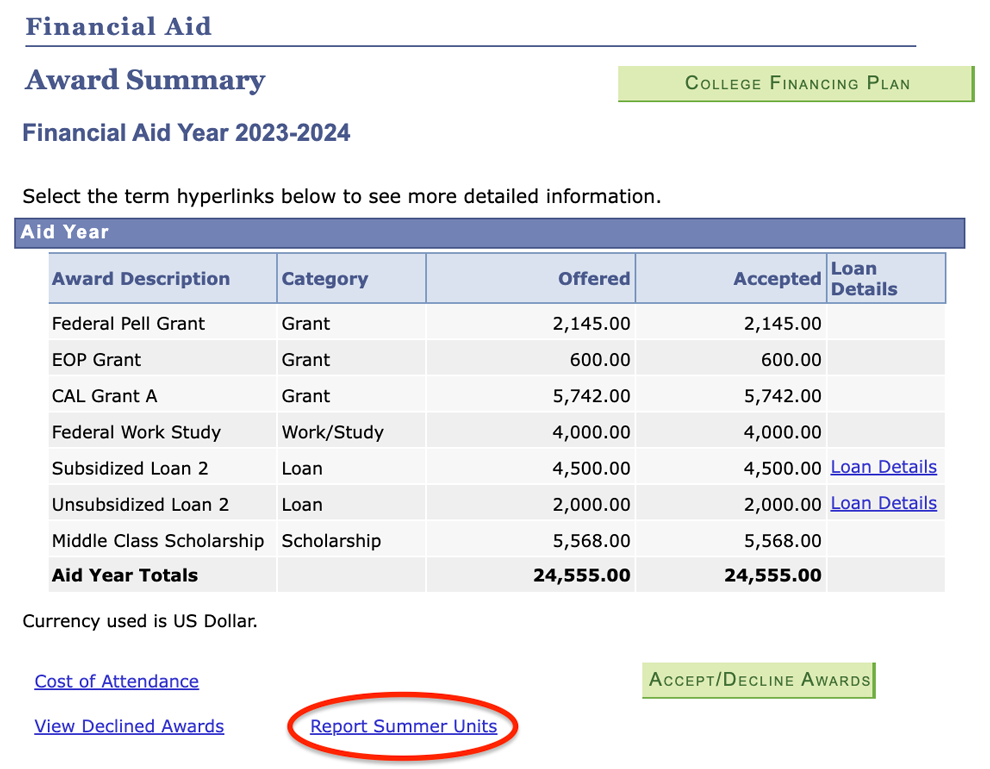
Select the "Report Summer Units" link located underneath your award summary.
Enter the total number of units you plan to take for the entire Summer semester.
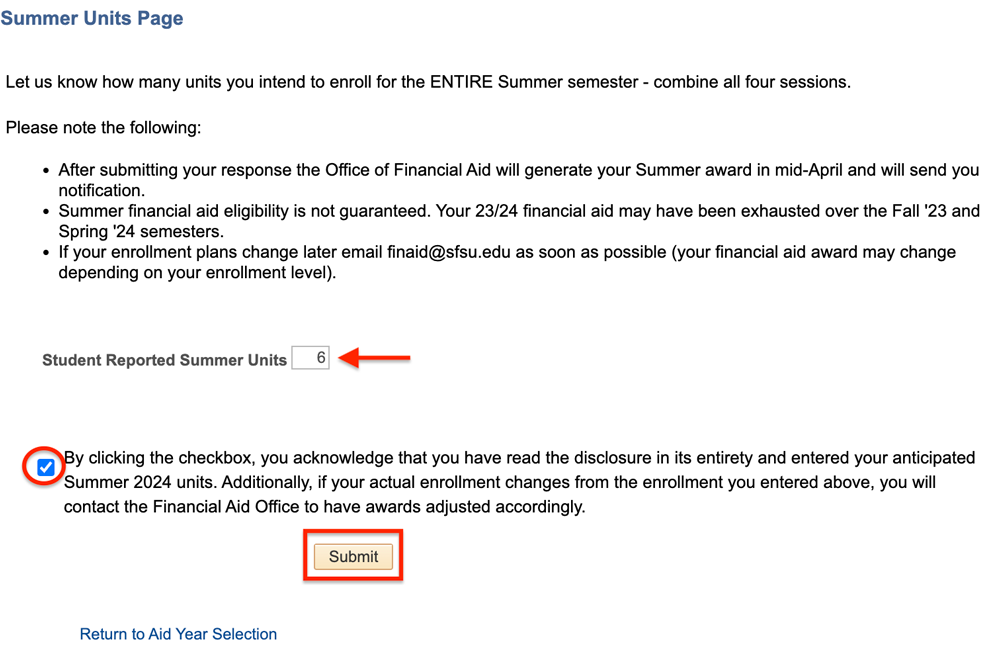
- Select the checkbox to confirm your summer units.
- Select "Submit" to complete the process.
Note: Summer 2026 financial aid awards will appear on your 2025–2026 Financial Aid Awards Summary in your Student Center once they are available. If you completed the steps above, you will be notified through your SF State email. Please wait until you receive this notification.